A freelancer website Netherlands project is simpler than most guides make it sound when you start out as a zzp'er. You need a handful of legally required details, five well-written pages and a way for people to contact you. You do not need a 20-page site, a blog or a logo agency.
This freelancer website Netherlands guide covers the three questions new freelancers ask most: what must be on the site by law, which pages actually help you win clients, and whether to build it yourself or have it built.
Checked on 11 November 2026. Rules and prices can change. Check the linked sources before you decide.
Freelancer website Netherlands: what you must show by law
If you sell products or services through your website, KVK says you must show certain business details where customers can easily find them, for example on a contact page or in the footer. KVK's list of required details for online sellers is:
- the business name you are registered under at KVK
- your KVK number
- your btw number (VAT ID)
- the address where your business is established
- your email address
- your phone number
- on which days and times you can be reached
- your complaints procedure or dispute committee, if you have one
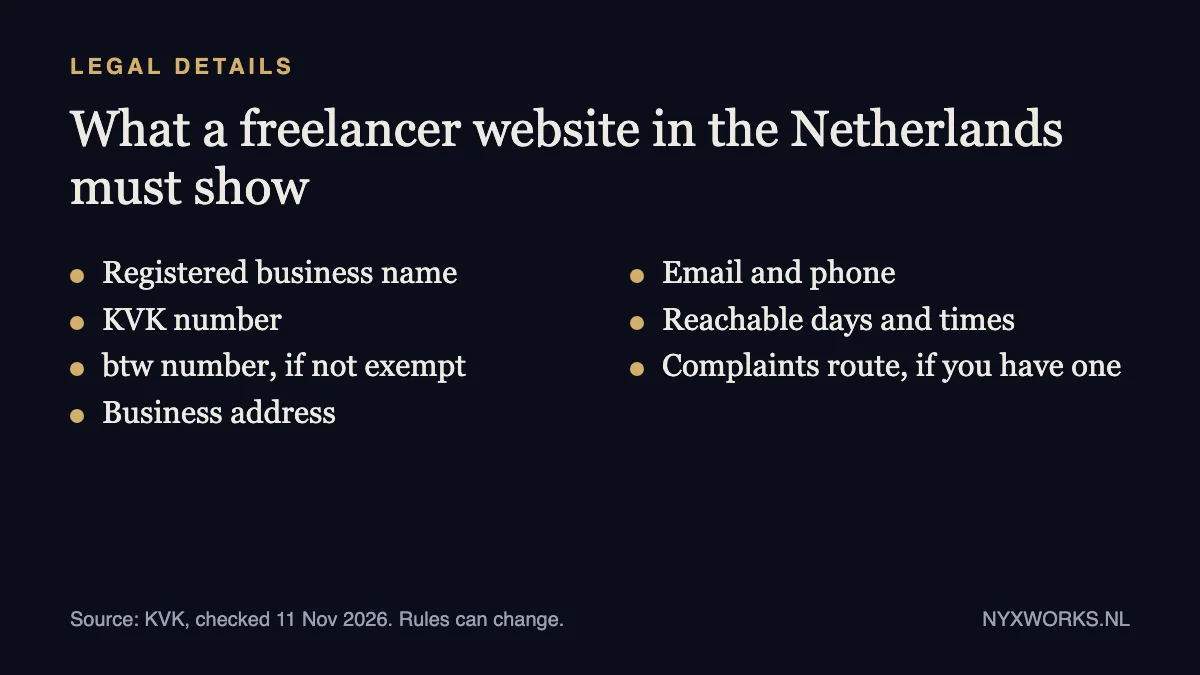
Two of these deserve a closer look.
The KVK number. KVK states that the law requires your KVK number on letters, quotes, invoices, your website and business email. This applies to you from the moment you are registered. If you are not registered yet, start with our step-by-step guide to registering an eenmanszaak.
The btw number. If you sell products or services through your website, you must show it. There is one exception that matters to many starters: KVK says you do not have to put your btw number on an invoice if you are exempt from VAT or you use the small business scheme (KOR). The KVK page on invoices points to the same exception, but if you rely on it for your website, check your own situation with the Belastingdienst or an accountant. When in doubt, showing the number is the safe choice.
Selling to consumers adds more. Since June 2026 KVK also lists a visible withdrawal button for web shops and online services, so if you sell to private customers, read KVK's 10 basic rules for online selling. Most freelancers who work for businesses will not need this, but it is worth a five-minute read.
A footer block you can copy
Put this on your contact page and in the footer, filled in with your own details:
- Business name (as registered at KVK)
- KVK number: 12345678 (example number)
- btw number: NL000000000B01 (example, leave out only if you are VAT exempt or use KOR)
- Address: street, postcode, city
- Email and phone
- Reachable: Monday to Friday, 09:00 to 17:00
The numbers above are examples, not real ones. Link the footer to a short privacy statement as well. If your site uses analytics or marketing cookies, read do you need a cookie banner first.
Your home address and the KVK register
Many freelancers work from home, and a website that shows the registered address makes some people uncomfortable. KVK gives eenmanszaak owners a clear option here.
According to KVK, the owner of an eenmanszaak can always shield the business (visiting) address, even if it is the same as the home address. You do this in My KVK, or you choose "afschermen bezoekadres" while you register. Shielded does not mean invisible to everyone: staff of regulators, solicitors, notaries, bailiffs and organisations bound by the anti-money-laundering law (Wwft) can still see it with KVK's permission.
Two practical points follow from this:
- Shielding the address in the register does not remove it from your own website. If you want your home address private, do not publish it in the footer either. Use the address that KVK shows publicly, such as a postal address, where that is allowed for your situation.
- Check what your registration says today. Rules for what is public differ by legal form, so read KVK's page on shielding your business address before you decide.
The five pages that win clients
Most freelancer website Netherlands projects are won or lost on content, not design. Five pages are enough:
- Home. One sentence on who you help and with what, one proof point and one button. A visitor should know within five seconds if you are the right person.
- Services. What you do, for whom, how it works and what happens next. If you can, show a starting price or a typical project. People who cannot find a price often leave.
- About. Who you are, your experience and why a client can trust you. This is also where expats can say which languages they work in.
- Work or examples. Two or three real projects, described by problem, what you did and the result. If you have no clients yet, show a sample project and label it as a sample.
- Contact. A short form, your email, the legal details from the footer block and the reachable days and times.
Skip the blog at the start of your freelancer website Netherlands project. A blog only helps if you publish regularly, and an empty or old blog makes the site look abandoned. The same goes for social media; if you cannot keep a steady rhythm, read what it costs to outsource social media management.
Freelancer website Netherlands: DIY builder or a built site, cost and time
There are two honest routes.
DIY with a site builder. This works if you enjoy it, your needs are simple and you can spend a few weekends on it. You pay a monthly plan and you do the writing, structure, mobile check and speed work yourself. For typical monthly plan prices, see our website cost overview.
Having it built. You trade money for time and a more reliable result. At NyxWorks a landing page starts from €289 and is live in about 3 days, as of 11 November 2026 on our web development page. If you want WordPress kept up to date, our care plan is €59 per month (or the yearly option shown on that page). Prices can change.
For a freelancer website Netherlands buyers trust, the content matters more than the tool. A simple way to decide: if an hour of your time earns you more than the hourly cost of building, have it built. If you are between clients and have time, build it yourself, but still follow the five-page structure and the legal checklist below.
Not sure which route fits? A focused 30-minute consultation is €30 and ends with a recommendation. If you already have a site, run it through the free Website X-ray first, so you start from facts. For more on choosing someone to build it, see how to choose a web designer in the Netherlands.
Checklist before you go live
Go through this list once with your freelancer website Netherlands draft open on your phone:
- Business name as registered at KVK is visible
- KVK number is visible
- btw number is visible, or you are sure you are exempt or on KOR
- Address, email and phone are visible
- Reachable days and times are listed
- Privacy statement is linked in the footer
- Cookie banner is in place if you use non-essential cookies
- Home address decision made, and checked in My KVK
- The contact form sends a message to you, tested once
- Every page loads fast on mobile and has one clear next step
Frequently asked questions
Do I need a KVK number on my freelancer website Netherlands?
Yes. KVK says the law requires your KVK number on your website, along with letters, quotes, invoices and business email. Exceptions apply to organisations such as associations without a business and government bodies, not to a normal freelancer.
Do I show my btw number if I use the KOR?
KVK says you do not have to put the btw number on an invoice if you are VAT exempt or use the small business scheme (KOR). For your website, check your own situation with the Belastingdienst or an accountant. Showing it when allowed is the safe default.
Is my home address public?
It can be, if your home address is your registered business address and you do nothing. KVK lets eenmanszaak owners shield the visiting address through My KVK. The shield covers the register, not your own site, so do not publish the address yourself if you want it private.
Do I need a cookie banner on a simple freelancer site?
Only if you use cookies that need consent, such as many analytics and marketing tools. Our guide on cookie banners explains the difference.
How much does a freelancer website Netherlands cost?
It ranges from a monthly builder plan to a one-off build. At NyxWorks, a landing page starts from €289 (11 November 2026). See the website cost overview for the full range.
A simple next step
If you want a second pair of eyes before you publish, book a 30-minute consultation (€30) or run the free Website X-ray on your draft.
Sources
- KVK: Online selling, the 10 basic rules (checked 11 November 2026)
- KVK: The KVK number, good to know (checked 11 November 2026)
- KVK: The btw number (btw-id) (checked 11 November 2026)
- KVK: Shielding your business address (checked 11 November 2026)
- NyxWorks web development prices (checked 11 November 2026)
Checked on 11 November 2026. Rules and prices can change. Check the linked sources before you decide.
Next step
Want this done for your business?
Tell us what you need. You get a fixed scope and a public price, usually within a day.
Start a project